

Evaluate your agent
Score real calls across quality dimensions, see exactly what to fix, and improve.
Evaluations score your agent's calls across quality dimensions — accuracy and experience — so you can trust what it says and see exactly what to improve. For what each dimension means, see Evaluations.
Run an evaluation
Open Evaluations in the sidebar and click Run Eval:
Pick an agent
Choose the agent you want to evaluate.
Select calls
Pick up to 5 completed calls (each at least ~10 seconds) to score.
Run
Click Run evaluation. Intrlume replays each call and scores it against the rubric — the run shows as Running, then Completed in the list.
If Run Eval is disabled, evaluation isn't turned on for that agent yet — contact Intrlume support to enable it.
Read the results
Open a completed run. It has three tabs:
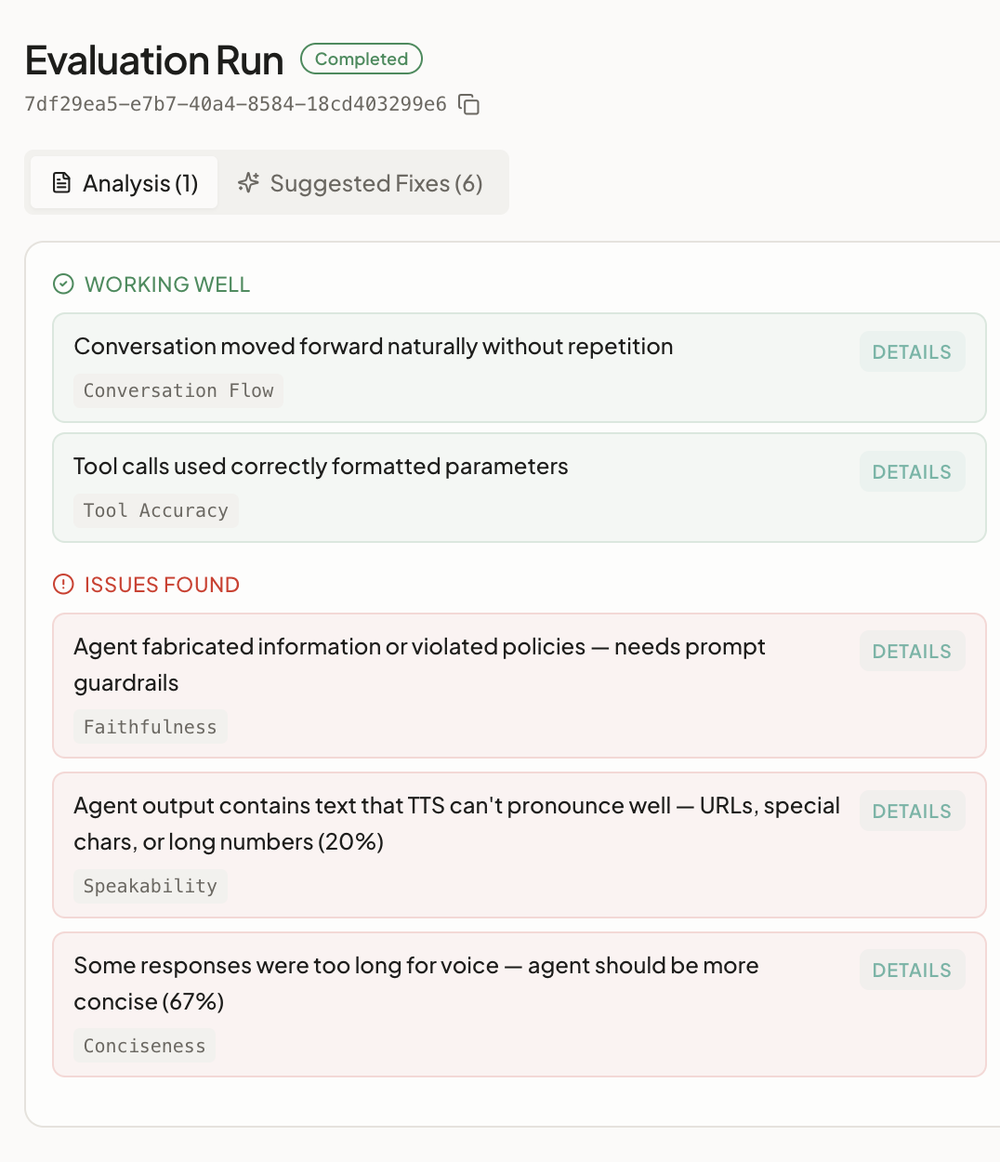
- Analysis — for each call, the conversation transcript alongside Working Well (the dimensions that passed) and Issues Found (the ones that didn't). Each line is a plain-English insight, with a Details view showing the judge's reasoning.
- Suggested Fixes — concrete prompt improvements, each with a before/after diff and the dimensions it would lift.
- Workflow Health — structural problems in the conversation flow (dead ends, overloaded prompts, missing fallback paths).
Improve and re-check
Apply a fix in the workflow editor, then run another evaluation to confirm the scores went up. Once you've scored enough calls, Analyze Agent rolls them up to surface patterns across many calls and suggest broader improvements.